Minotune

Features

Everything Minotune does

Every screen here is from the real app. Only the music is made up.

Minotune/Versions01 / 10

Versions

Every mix, side by side

Each new bounce becomes the next version of the same song, so its whole history stays in one place. Pick any two and flip between them as it plays, matched for loudness, so the louder mix doesn’t win just for being louder.

  • Add a note on what changed
  • Press 1 to 9 to jump between versions, F to flip
  • Choose which version a song plays by default
The versions of a song: Mix 2 and Mix 1, each with its loudness, and buttons to make either one A or B

Feedback

Comments right on the waveform

Drop a note at the exact second, or drag across a section to comment on the whole thing. Everyone sees the notes pop up as the song plays. Tick one off when it’s done and it turns green.

  • Replies keep conversations together
  • Let listeners on a link comment, or don’t
  • See who wrote what at a glance

Analysis

Know exactly what you’re sending

The first time a version plays, Minotune measures it on your device: loudness, true peak, dynamics, stereo width and tonal balance, each one compared with the other version.

  • Check it in mono, or slowed down and sped up
  • Measured once, saved for good
  • The same numbers power loudness matching
The analysis of a version: loudness figures, each with the difference from the other version, and listening checks for mono and speed

MIDI and tempo

Your session’s tempo map

Add the MIDI from your session to a song and its tempo changes show up under the waveform. Tap one to jump there. Collaborators can download the file and drop it straight into their own session.

  • Up to 20 labeled MIDI files per song
  • Tempo, time signature and notes, read for you
  • Downloads follow the same rules as the music
A song with a MIDI file: three tempos as pills under the waveform, and the file ready to download

Sharing

Share on your terms

Send one link to everyone, or a personal link to one person. Add a password, an expiry date or a play limit, and choose whether they can comment or download. Change your mind and the link stops working right away.

  • Listeners don’t need an account or an app
  • Send a blind A/B test
  • Invite collaborators by email, with roles
Sharing a project: a personal link for one person that works for 7 days

Safety

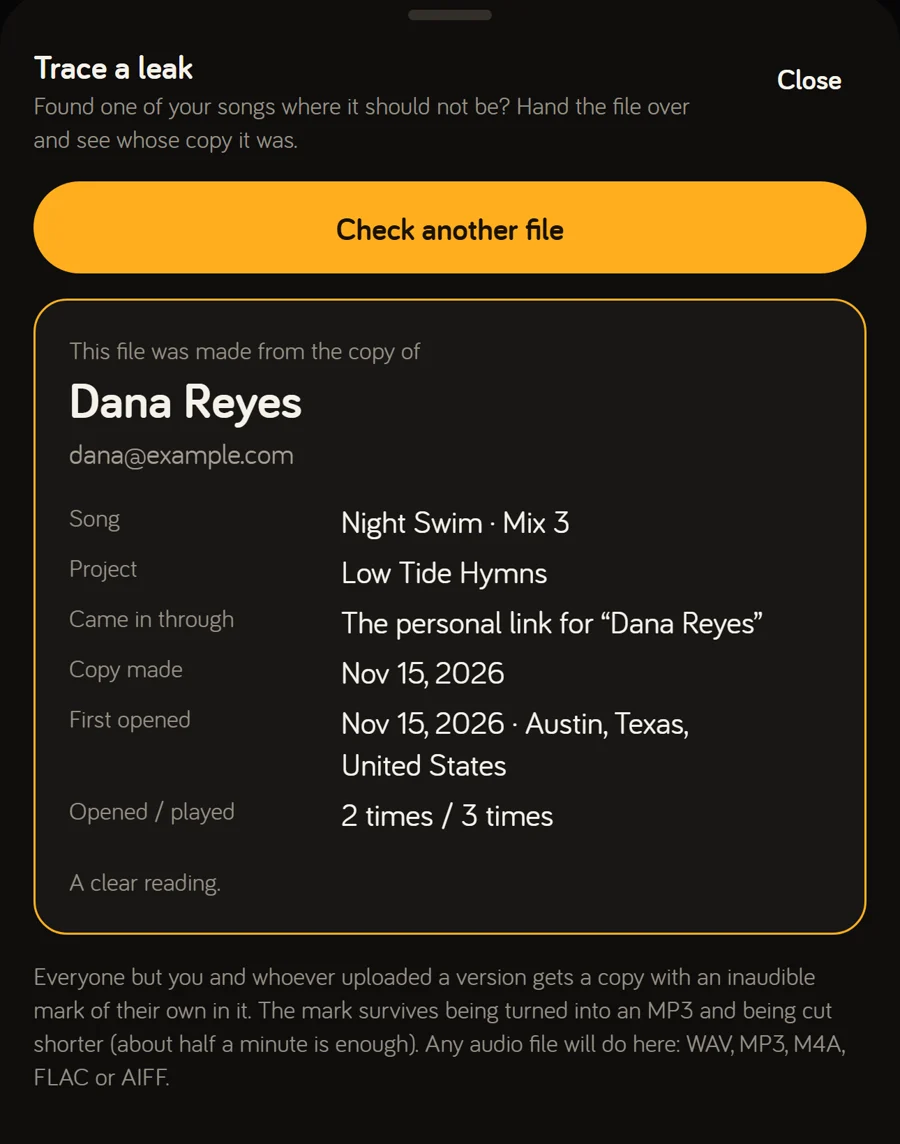
If it leaks, you’ll know who

Every listener gets their own copy, with an inaudible watermark in the audio. Upload a leaked file, even a low-quality MP3 or a short clip, and Minotune tells you whose copy it was, which link it came through and where that link was opened.

  • Survives MP3 conversion and trimming
  • Files are only ever sent through two-minute links
  • Finals go out unmarked, ready for distribution
Trace a leak: a leaked file was made from the copy of Dana Reyes

Listeners

Watch your music travel

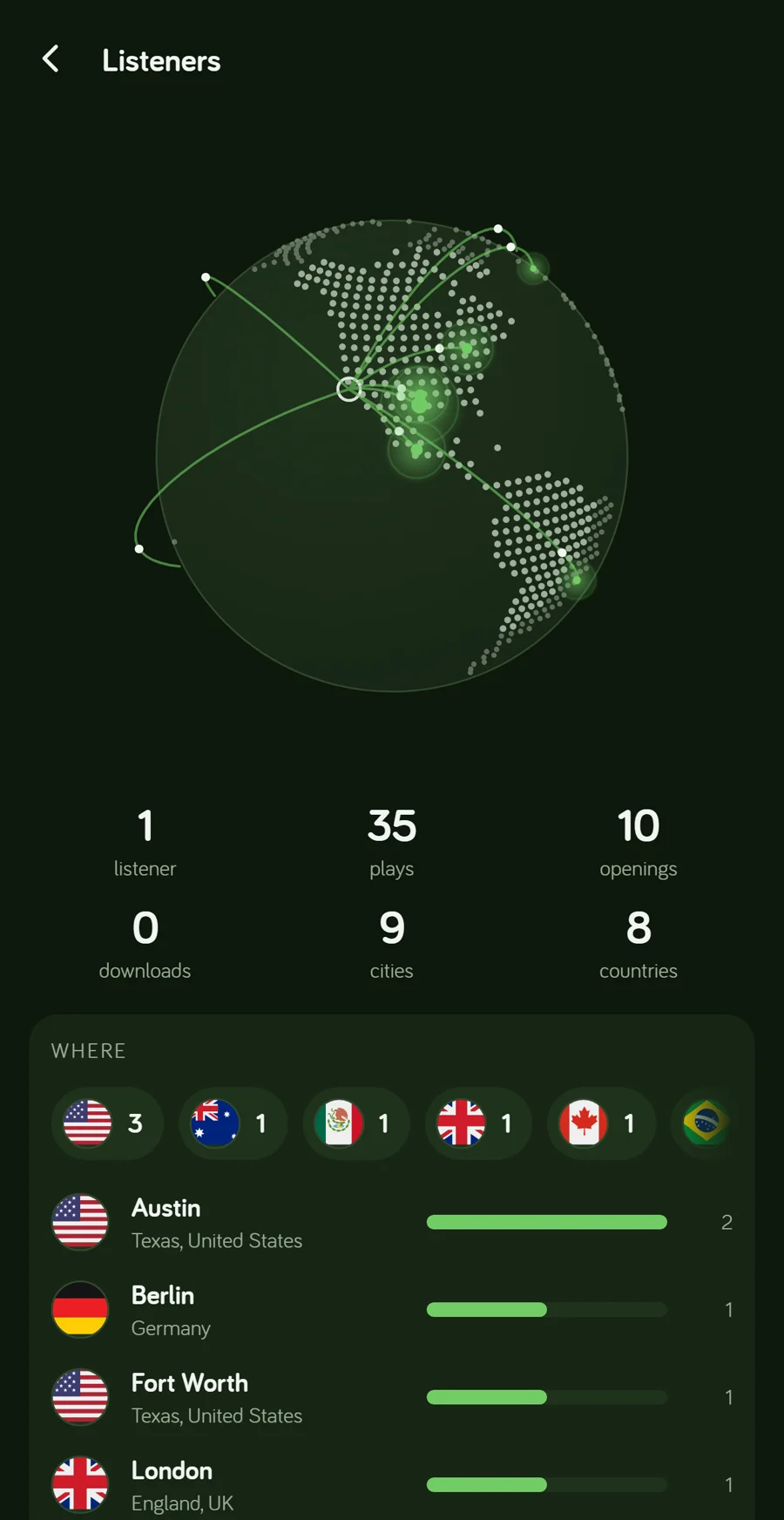
See who opened your link, what they played, how many times, and where they were, city by city on a globe. If a personal link turns up somewhere it shouldn’t, you’ll see that too.

  • Plays per person and per song
  • Every download, listed
  • Link previews from chat apps filtered out
The Listeners screen: a globe with listening places lit up, and the cities below it

Notifications

Know when someone listens

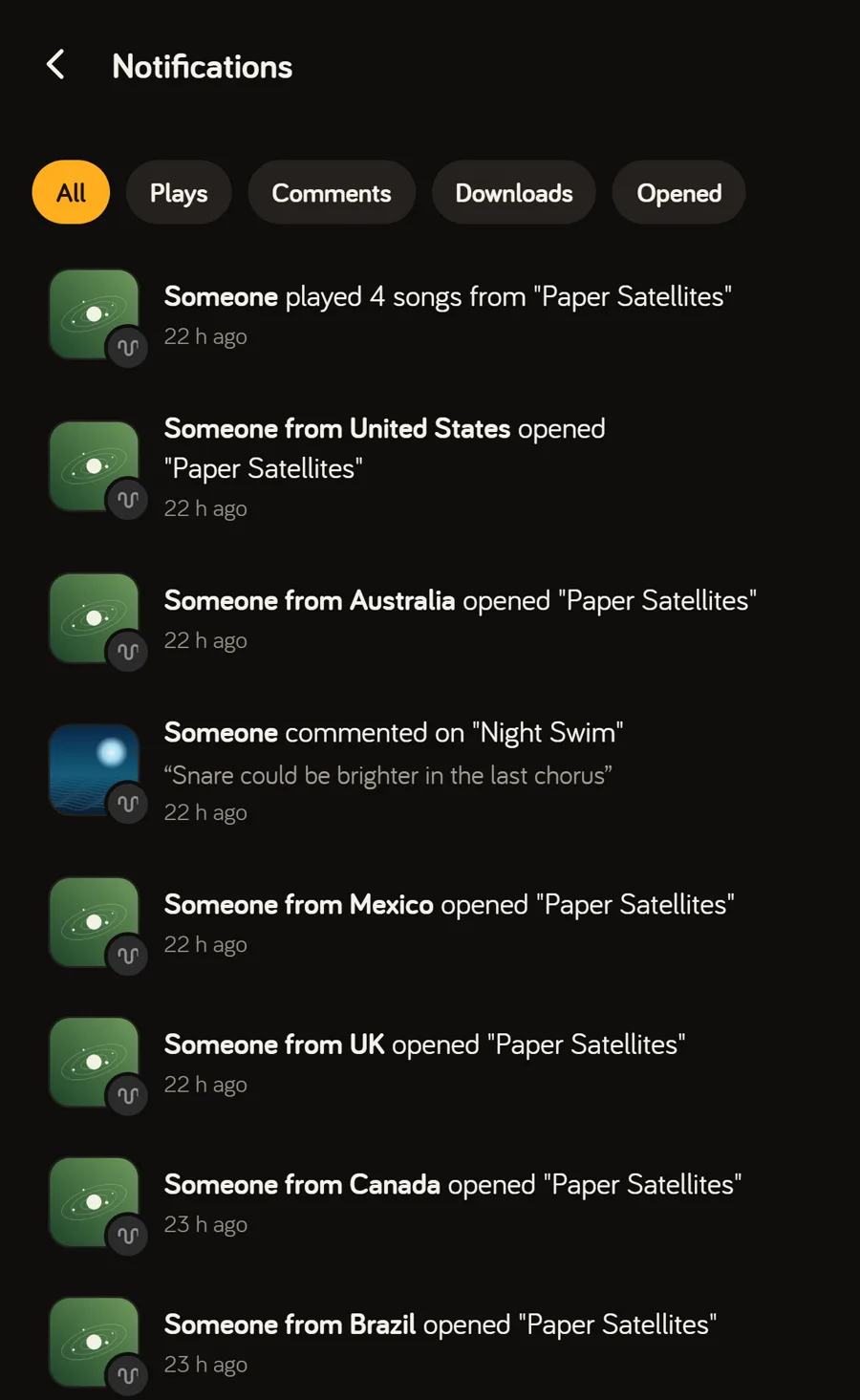
The bell shows you what’s happening with your music: who opened a link, played, downloaded, commented or added a version. Tap any line to go straight to the song.

  • Filter by plays, comments, downloads or opens
  • Guests shown by where they’re listening from
  • On a computer, it stays open beside your work
Notifications: someone played four songs, people in six countries opened a project, two comments on Night Swim

Library

One library for all of it

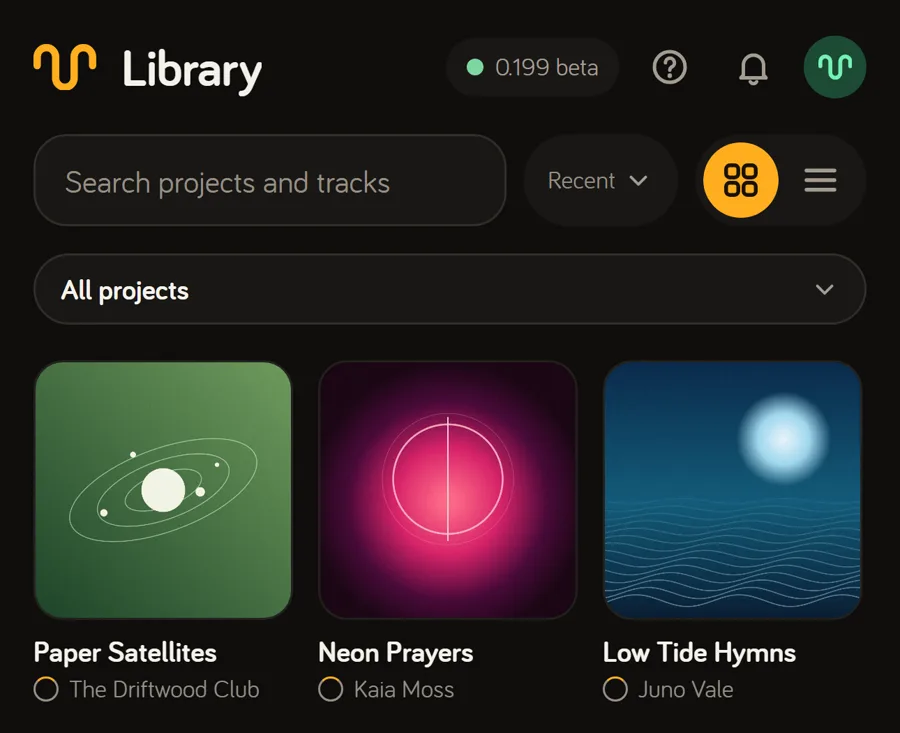
Your projects, the ones shared with you and your collaborations, all in one place. Each project takes on the colors of its cover art. Search every song, sort by folder, and share a whole folder with a band or label at once.

  • Favorites, archive and album versions
  • Share a folder once and every project in it follows
  • Download everything as zips, any time
The library: three projects, each with its cover art

Offline

Plays with no signal

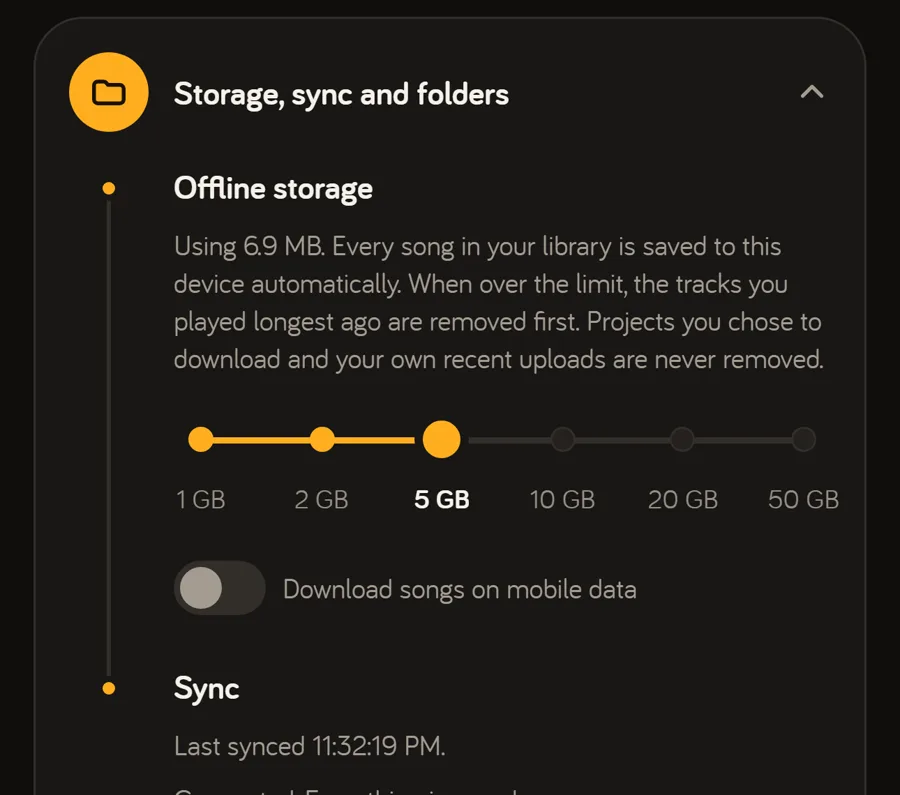
Your whole library is saved on the device you play it on, waveforms and analysis included. On a plane, in a basement studio or in the car, it just plays. Anything you do offline syncs when you’re back, with the time you actually did it.

  • Choose how much space it uses, from 1 to 50 GB
  • Gapless playback across albums
  • Songs are ready before you tap them
Offline storage in Settings: a slider from 1 to 50 GB, set to 5 GB

More features

Everything else, built in

Finals and stems

Build the finished record from lossless files and send it with one link a label or distributor can download from. Stems come with Pro and Studio.

A folder on your computer

The Windows app gives every project its own folder. Export a mix into it and it becomes the next version, automatically.

Collaborators and roles

Invite people by email to add songs and versions. Make someone a Lyricist to edit lyrics, or a Label to change the artwork.

Tagged downloads

Every song you download comes with its title, artist, album and track number, in original quality.

A 30-day trash

Deleted projects, songs and versions wait in the trash for 30 days. Restore them with a tap.

No password to steal

Sign in with a code from your email, with Google, or with Apple on iPhone. You can lock the app on your phone, too.

Always up to date

Updates install quietly in the background. No prompts, no reinstalls, and the music never stops.

Your music stays yours

Never used to train AI, never sold, never shared, and no rights claimed. Take everything with you in one click.

Read the step-by-step guide

Hear it for yourself

Start free with 2 GB. No card needed.