Every version, side by side
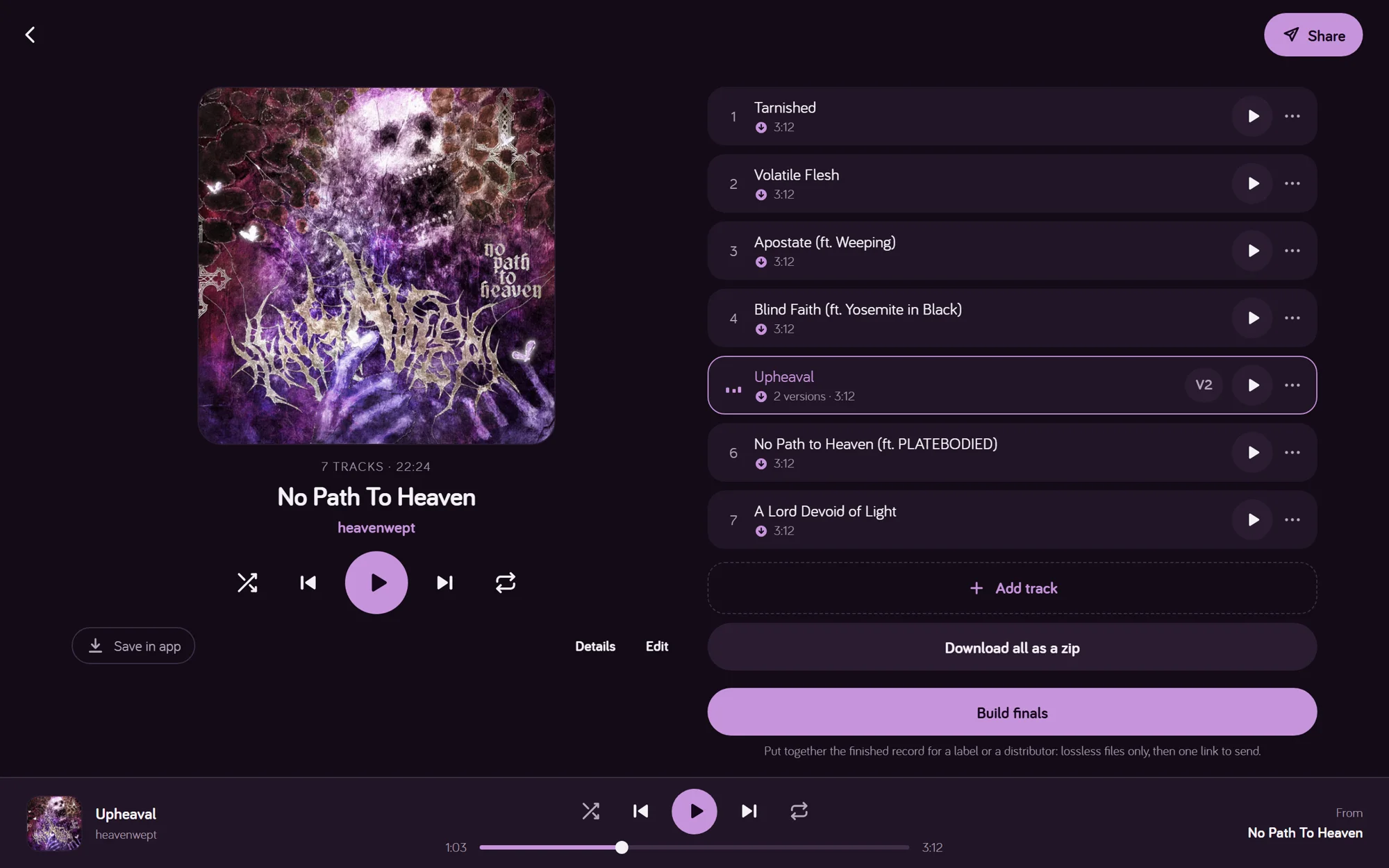
Each new mix or master is the next version of the same song. Switch between any two while it plays, at matched loudness, so the louder one does not win by default.
In beta · free to use
Minotune is the private home for your unreleased music. Every version side by side, feedback right on the waveform, and links that show you who listened, and who leaked.
No password, no card. Your listeners don’t need an account.
Feedback
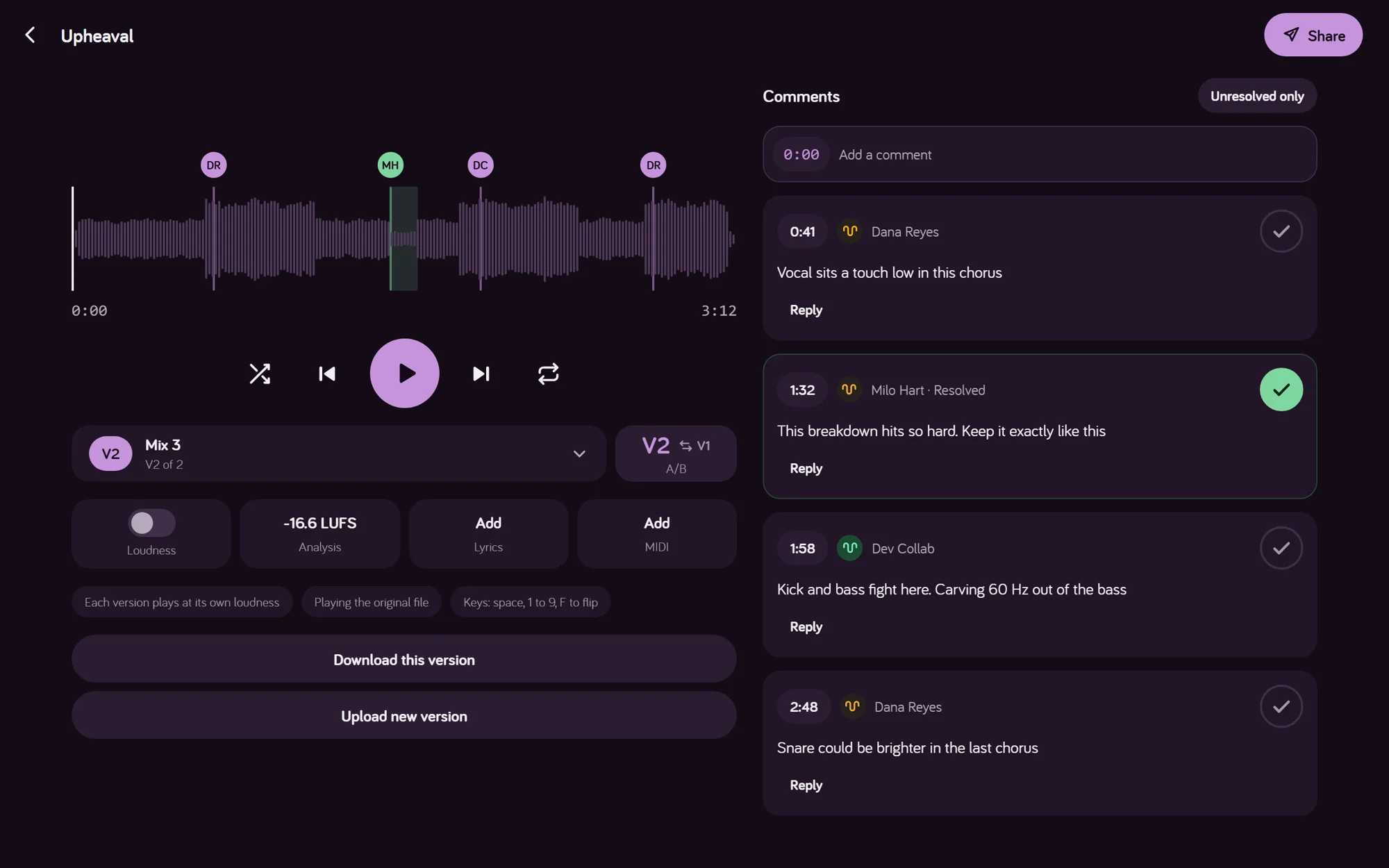
Everyone you share with can pin a note to the exact moment, or to a whole section. Tick it off when it is done. Switch between mixes while it plays, at matched loudness.
Sharing
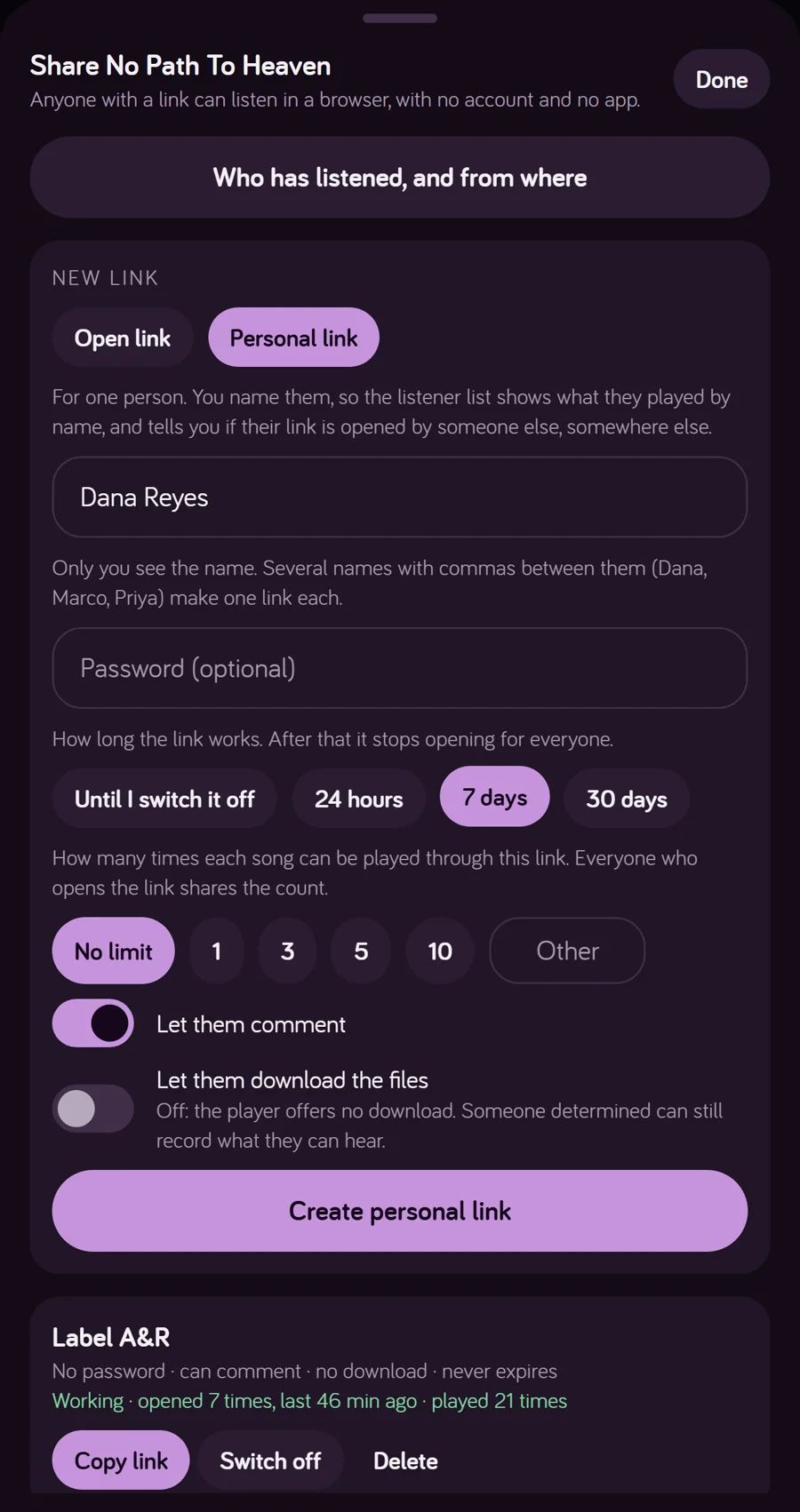
Send one link to many, or a personal link to one. Add a password, an end date, a number of plays. Decide whether they can comment or download. Change your mind later and the link stops at once.
Safety
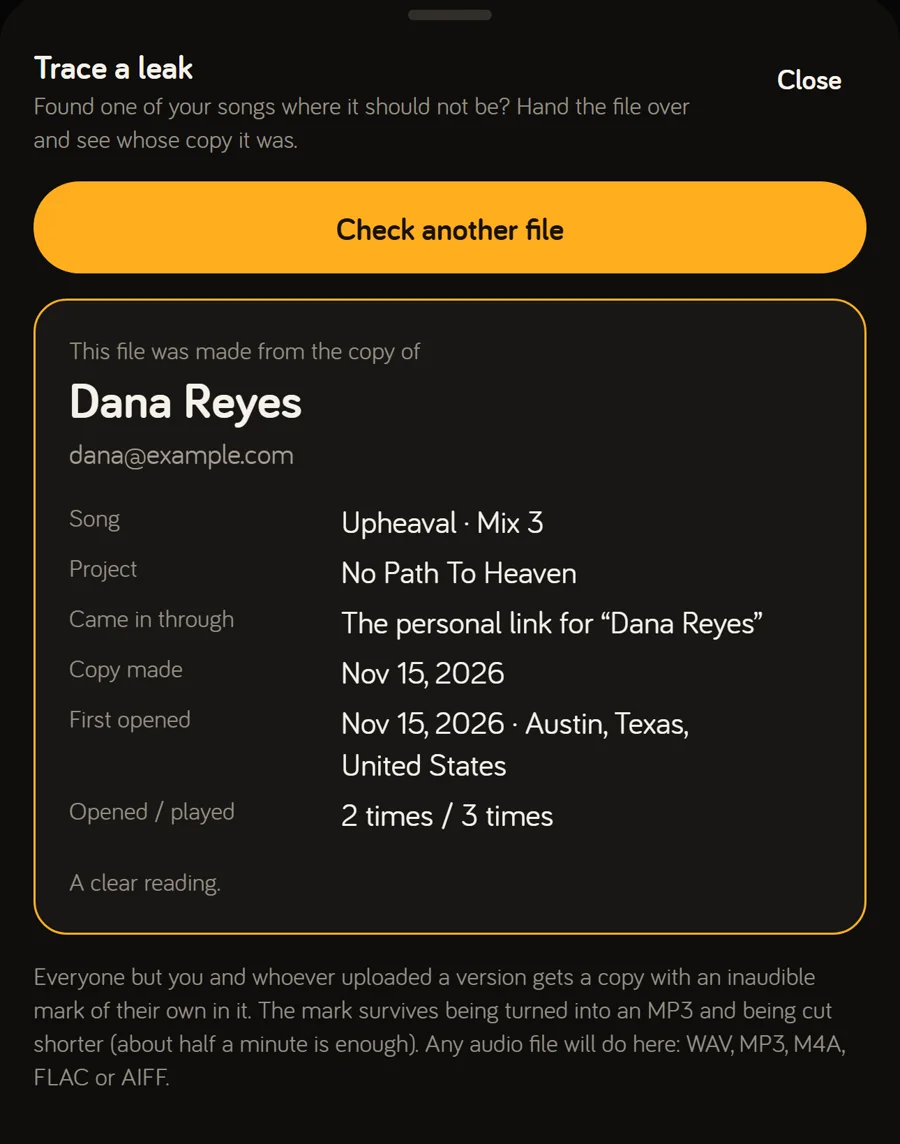
Every listener hears a copy made for them, with an inaudible watermark in the sound. Upload a leaked file, even an MP3 or a cut, and Minotune reads the mark and names the copy.
Listeners
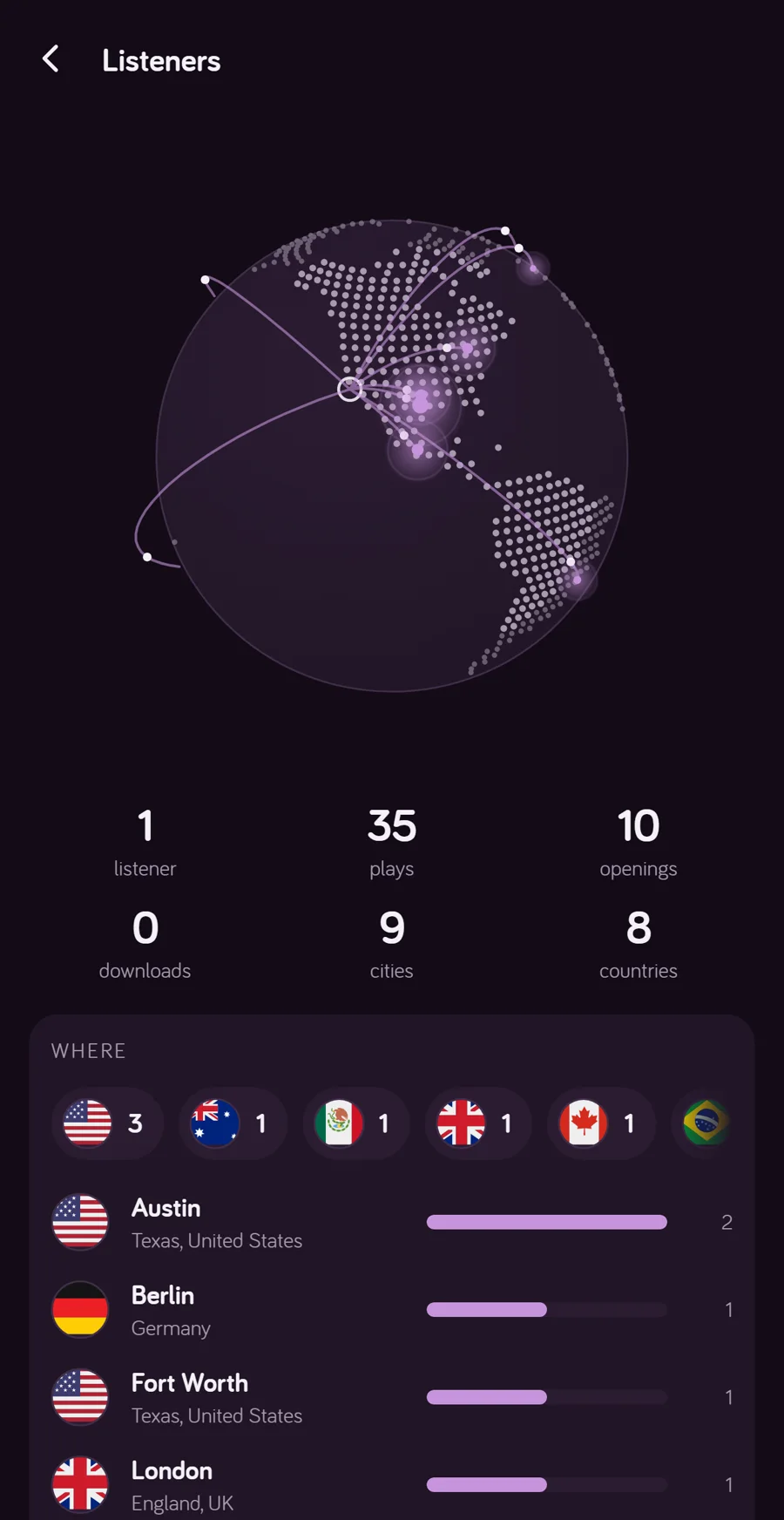
See who opened a link, what they played and how often, and where in the world they were, city by city on a globe. A personal link that turns up far from its owner is flagged as passed on.
Everything in it
Each new mix or master is the next version of the same song. Switch between any two while it plays, at matched loudness, so the louder one does not win by default.
Feedback is pinned to the exact moment, or to a section you drag across. Tick a comment off when it is done and it turns green, like a checklist.
Music you have opened is on your device, with its waveform and analysis. On a plane, in a basement studio, in a car: tap and it plays.
A password, an end date, a number of plays per song, downloads on or off. Switch a link off and access ends on the next request.
Everyone you share with hears their own copy, with an inaudible mark in it. If a song leaks, upload the file and Minotune tells you whose copy it was.
Openings, plays and downloads per person and per song, city by city, lit up on a globe. Personal links show when one was passed on.
Build the finished record from lossless files only, add stems, and send one link a label or distributor can download from. Files leave tagged and numbered.
The desktop app keeps a Minotune folder. Export a mix into a project's folder and it becomes the next version by itself.
Loudness, true peak, dynamics, stereo width and tonal balance for every version. Add the MIDI from your session to a song and its tempo changes show on the waveform, ready for others to download.
Invite people by email to add versions. Roles such as Lyricist or Label decide who may change lyrics or artwork. Share a whole folder with a band.
Deleted projects, songs and versions wait in the trash for 30 days and can be put back whole.
Updates arrive silently in the background. No update prompts, no reinstalling, and the music keeps playing.
Wherever you work